
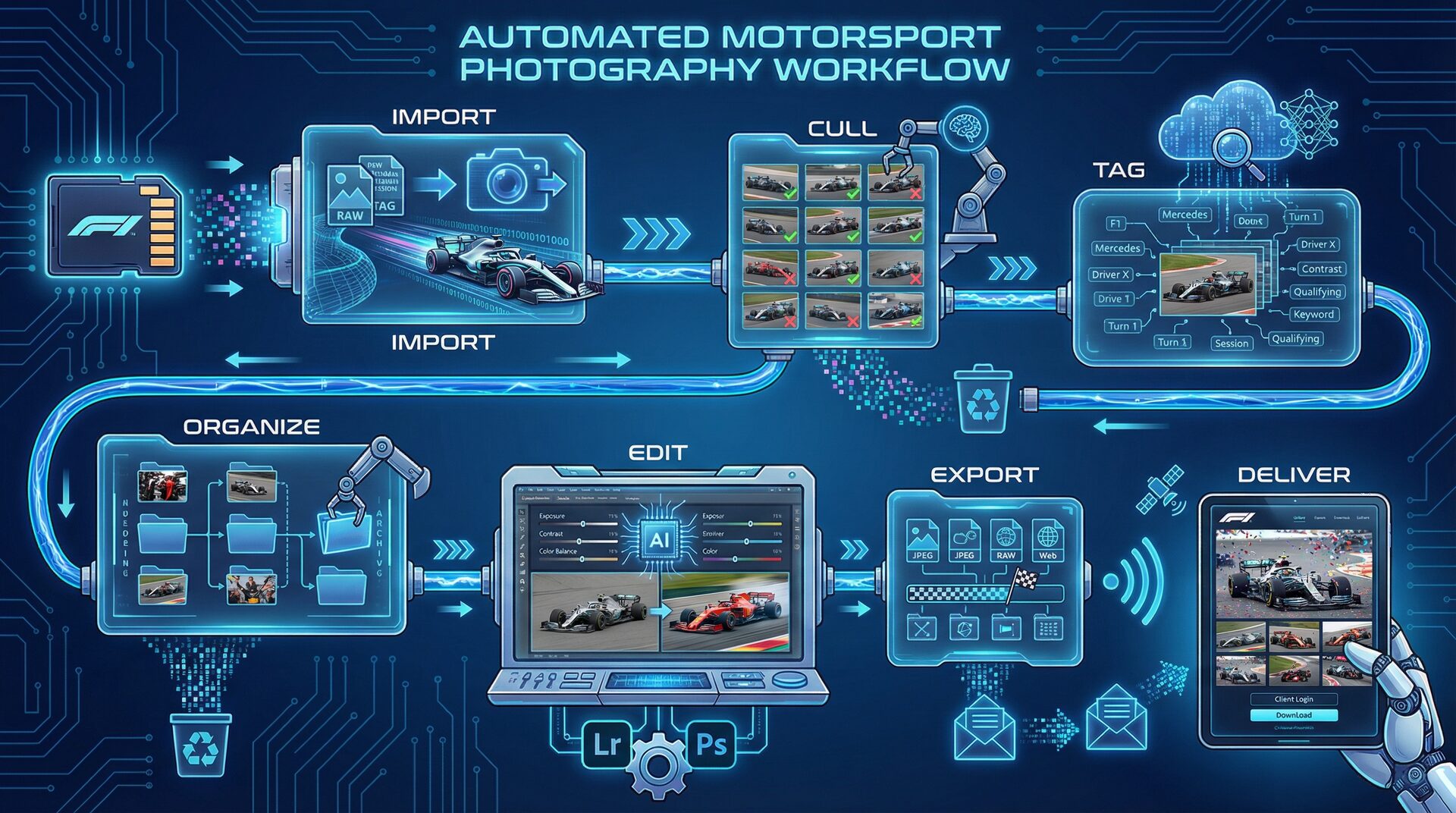
The Complete Automated Workflow Overview
Here's what end-to-end automation looks like for motorsport photography:
SD Card → Auto-import → Auto-cull → AI tagging → Auto-organize → Edit → Auto-export → Gallery delivery
  ↑           ↑            ↑           ↑              ↑           ↑         ↑              ↑
Manual     Scripted      AI or       RaceTagger    Templates   Creative  Presets       Cloud sync
           ingest        Narrative                              decisions            auto-upload
Traditional time: 12-16 hours per event Automated time: 2-3 hours per event Time saved: 80%+
Phase 1: Automated Import (5 Minutes)
The Manual Problem
Traditional import:
- Insert card
- Open import dialog
- Choose destination folder
- Create subfolders
- Click import
- Wait
- Repeat for each card
Time per card: 5-10 minutes For 4 cards: 20-40 minutes
The Automated Solution
Hedge or Photo Mechanic Ingest:
Configure auto-ingest profiles that trigger when cards are inserted:
Trigger: SD card detected
Action: Copy to /YYYY-MM-DD_EventName/RAW/
Verify: Checksum validation
Backup: Mirror to external SSD
Notify: Play sound when complete
Setup time: 15 minutes (one-time) Per-event time: 5 minutes (just swap cards)
Pro Tip: Dual-Card Strategy
Set your camera to record RAW to card 1, JPEG to card 2:
- Card 1: Full archive (stored until delivery)
- Card 2: Quick review and social media
- Immediate backup without computer time
Phase 2: Automated Culling (30-45 Minutes)
The Manual Problem
Manual culling 4,000 photos:
- View each thumbnail
- Decide keep/reject
- Apply rating
- Next photo
Time: 2-3 hours Mental fatigue: High after 60 minutes Consistency: Decreases over time
AI-Assisted Culling with Narrative Select
Narrative Select uses AI to pre-filter your photos:
What it automates:
- Detects closed eyes
- Identifies motion blur
- Finds similar shots and picks the sharpest
- Flags interesting compositions
Workflow:
- Import photos to Narrative Select
- AI analyzes during import (automatic)
- Review AI-suggested picks (30 minutes)
- Fine-tune selections (15 minutes)
Time saved: 60-90 minutes per event
Photo Mechanic for Speed Purists
If you prefer total control, Photo Mechanic's keyboard-driven culling remains fastest:
Setup automation:
- Create ingest preset with auto-copy
- Configure star ratings to single keystrokes
- Set up auto-advance after rating
With muscle memory: 40 minutes for 4,000 photos
Phase 3: AI Tagging (20-30 Minutes)
This is where the biggest automation gains happen.
The Manual Nightmare
Tagging 600 keepers from a race event:
- Read car number from image
- Look up driver in entry list
- Type driver name and number
- Add team, category metadata
- Move to next photo
Time: 6-10 hours Error rate: Increases with fatigue Bottleneck: Entire workflow stops here
The AI Solution with RaceTagger
Pre-event setup (5 minutes):
- Download entry list from series website
- Format as CSV: car_number, driver_name, team
- Upload to RaceTagger
Post-event automation (20-30 minutes):
- Export culled photos to folder
- Drag folder to RaceTagger
- Click "Start Analysis"
- AI processes all photos automatically
- Review flagged items (5-10% of photos)
- Export with embedded metadata
Time: 30 minutes vs. 6-10 hours Accuracy: 94-97% for clear numbers
Batch Processing at Scale
For multi-day events:
Day 1:
- Shoot practice and qualifying
- Cull overnight
- Start AI tagging before bed
- Wake up to organized photos
Day 2:
- Race day photos added to same project
- AI continues processing
- Full event organized by evening
Result: Same-day delivery becomes possible
Phase 4: Automated Organization (10 Minutes)
Smart Folder Structure
Create a template folder structure that auto-populates:
2026_F1_Monza/
├── RAW_Archive/
│   └── (original files, never touched)
├── Working/
│   ├── For_Edit/           ← AI-tagged photos
│   ├── In_Progress/        ← Currently editing
│   └── Completed/          ← Finished edits
├── Delivery/
│   ├── By_Driver/          ← Auto-organized by AI
│   ├── By_Session/
│   └── Highlights/
└── Web_Upload/
    └── (resized for galleries)
Automated File Naming
Set up consistent naming that happens automatically:
Template: {Date}_{Event}_{Session}_{DriverLastName}_{Sequence}.{ext}
Result: 2026-09-08_Monza_FP1_Hamilton_001.jpg
Tools:
- Photo Mechanic: Advanced renaming on ingest
- RaceTagger: Embeds driver names for later use
- Lightroom: Rename on export
Phase 5: Editing (1-2 Hours — The Creative Phase)
Not everything can or should be automated. Editing remains the creative heart of photography.
What to Automate
Preset application:
- Create base preset for each track/condition
- Auto-apply on import to Lightroom
- Consistent starting point for all photos
Auto-sync settings:
- Edit one photo from a sequence
- Sync to similar photos automatically
- Batch process where lighting matches
What to Keep Manual
Creative decisions:
- Crop and composition
- Exposure adjustments
- Color grading
- Selective edits
Automation boundary: Let the computer handle technical consistency; you handle artistic vision.
Editing Efficiency Tips
Use AI masking:
- Lightroom's AI subject selection
- Automatic sky/background separation
- Faster local adjustments
Create track-specific presets:
- Monaco: Tunnel and daylight balance
- Silverstone: British overcast correction
- Singapore: Night race color handling
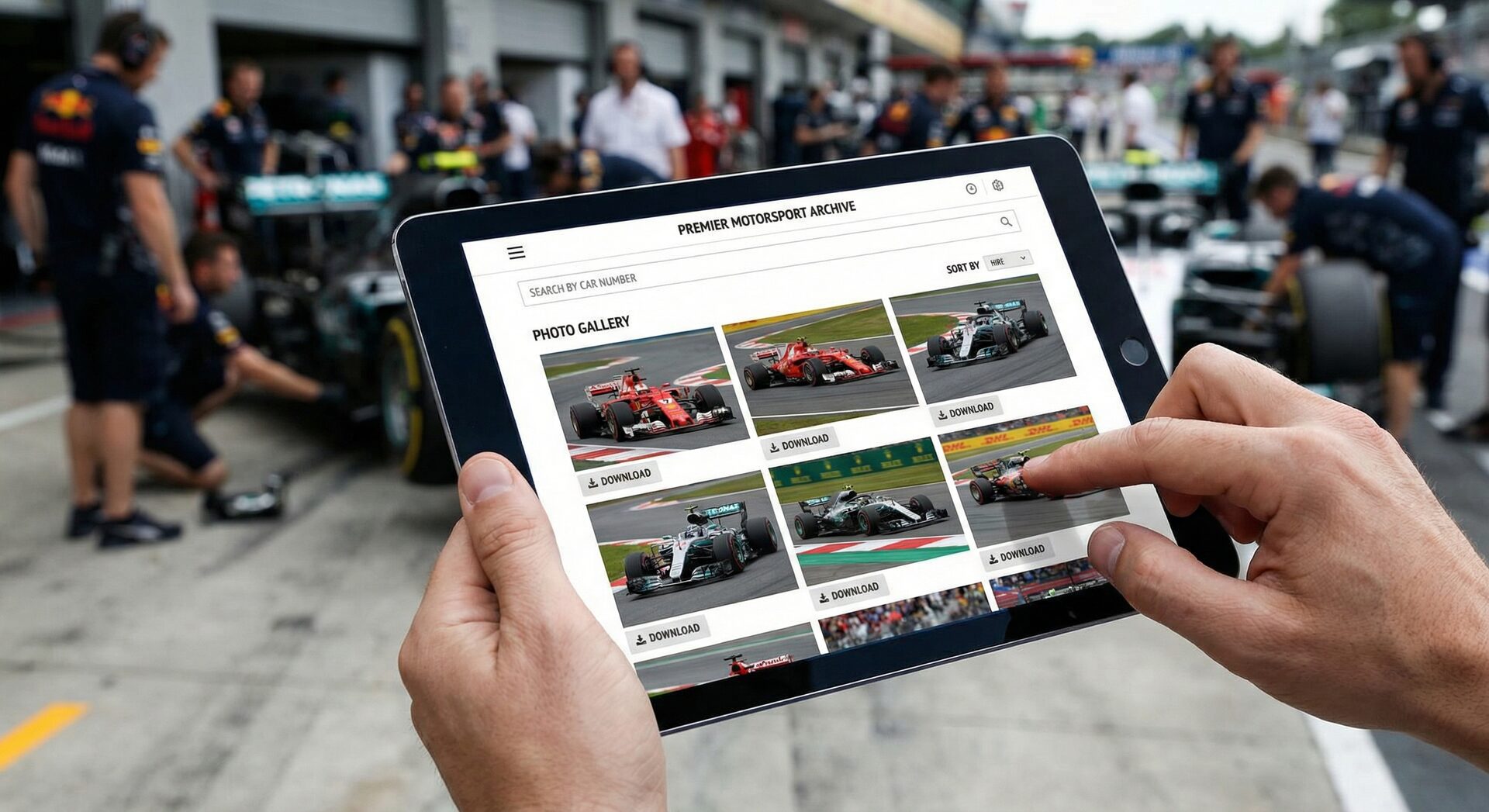
Phase 6: Automated Export and Delivery (15 Minutes)
Smart Export Presets
Create export presets for every delivery scenario:
Web Gallery preset:
- Format: JPEG, 80% quality
- Size: 2048px long edge
- Sharpening: Screen, Standard
- Metadata: Keywords + Copyright
Agency Delivery preset:
- Format: JPEG, 95% quality
- Size: Full resolution
- Color space: Adobe RGB
- Metadata: Full IPTC
Social Media preset:
- Format: JPEG, 75% quality
- Size: 1080×1350 (Instagram portrait)
- Sharpening: Screen, High
- Watermark: Bottom right
Automated Gallery Upload
Pixieset/Zenfolio integration:
- Export to synced folder
- Auto-upload to galleries
- Client notification triggered
Workflow:
- Export with "Web Gallery" preset to sync folder
- Files auto-upload via desktop app
- Gallery updates automatically
- Client receives notification
Time: 15 minutes of export, then automatic
FTP for Media Clients
For agencies and media outlets:
- Export to FTP watch folder
- Auto-upload to agency server
- Metadata embedded for immediate use
The Complete Automated Timeline
| Phase | Traditional | Automated | Time Saved |
|---|---|---|---|
| Import | 30 min | 5 min | 25 min |
| Culling | 180 min | 45 min | 135 min |
| Tagging | 480 min (8 hrs) | 30 min | 450 min |
| Organization | 60 min | 10 min | 50 min |
| Editing | 180 min (3 hrs) | 90 min | 90 min |
| Export/Delivery | 60 min | 15 min | 45 min |
| Total | 990 min (16.5 hrs) | 195 min (3.25 hrs) | 795 min (13.25 hrs) |
Result: 80% time reduction, 13+ hours saved per event
Tools for Complete Automation
Import & Backup
- Hedge: Verified transfers, multi-destination
- ChronoSync: Automated backup syncing
- Photo Mechanic: Fast ingest with templates
Culling
- Narrative Select: AI-assisted selection
- Photo Mechanic: Speed-focused manual culling
- FilterPixel: AI culling alternative
Tagging (The Critical Automation)
- RaceTagger: Purpose-built for race photos
- Manual tagging: Not recommended at scale
Organization
- Adobe Bridge: Visual file management
- Lightroom: Catalog-based with smart collections
- Hazel (Mac): Automated file organization rules
Editing
- Lightroom Classic: Industry standard with AI features
- Capture One: Superior color and tethering
- Luminar: AI-enhanced editing tools
Delivery
- Pixieset: Client galleries with sales
- PhotoShelter: Agency-focused platform
- Dropbox/WeTransfer: Direct client delivery
Advanced Automation: Scripting and Integration
macOS Shortcuts / Windows Power Automate
Create system-level automation:
Example workflow:
- SD card inserted → Trigger shortcut
- Copy files to working folder
- Launch Photo Mechanic
- Start ingest automatically
- Send notification when complete
Lightroom Auto-Import
Set up watch folders:
Watch: /Working/For_Edit/
Action: Import with preset
Result: Photos appear in Lightroom automatically
RaceTagger API Integration
For advanced users, RaceTagger's API enables:
- Custom workflow integration
- Bulk processing scripts
- Automated pipeline creation
Real Photographer Case Study
Photographer: Alex, professional F1 and WEC photographer Challenge: 25 race weekends per year, 8,000+ photos per weekend
Before Automation
- Import and backup: 45 min
- Culling: 4 hours
- Tagging: 20 hours (impossible to complete)
- Organization: 3 hours
- Editing: 8 hours
- Delivery: 2 hours
- Total per weekend: 37+ hours
- Result: Could only process highlights, missed opportunities
After Automation
- Import: 10 min (automated backup)
- Culling: 1 hour (AI-assisted)
- Tagging: 1.5 hours (AI + review)
- Organization: 30 min (templates)
- Editing: 4 hours (presets + AI masking)
- Delivery: 30 min (auto-upload)
- Total per weekend: 8 hours
- Result: Complete galleries delivered, 3x more events booked
Business impact: $50,000+ additional annual revenue from increased capacity
Common Automation Mistakes
Mistake 1: Automating Too Much Too Soon
Problem: Trying to automate everything at once, workflow breaks Solution: Automate one phase at a time, verify stability before adding more
Mistake 2: No Backup Verification
Problem: Assuming automation worked, losing files Solution: Always verify checksums, maintain 3-2-1 backup rule
Mistake 3: Ignoring Edge Cases
Problem: Automation fails on unusual photos Solution: Build review checkpoints for flagged items
Mistake 4: Over-Reliance on AI
Problem: Blind trust in AI, missing errors Solution: Always review AI-flagged items, spot-check random samples
Getting Started: Your Automation Roadmap
Week 1: Import Automation
- Set up Hedge or Photo Mechanic ingest profiles
- Configure automatic backup to external drive
- Test with a small card of photos
Week 2: Culling Optimization
- Install Narrative Select or optimize Photo Mechanic shortcuts
- Time your culling session
- Set target: 50% faster than current
Week 3: AI Tagging Integration
- Sign up for RaceTagger early access
- Import one past event
- Compare AI results to your manual tagging
Week 4: Export and Delivery
- Create export presets for your delivery types
- Set up gallery auto-upload
- Test end-to-end workflow
Month 2+: Refinement
- Measure time savings
- Identify remaining bottlenecks
- Add advanced automation (scripts, integrations)
Bottom Line
Complete workflow automation transforms motorsport photography from a time-intensive grind into a scalable, profitable business:
- 13+ hours saved per event
- Same-day delivery becomes standard
- Capacity for 3x more events
- Consistent quality at scale
The photographers winning in 2026 aren't working harder—they're automating smarter. Start with the biggest time sinks (tagging), add automation to adjacent phases, and build your optimized workflow step by step.
Start Automating Today
RaceTagger's AI tagging is the foundation of an automated motorsport workflow. Try it free on your next event.
Get Early Access →Related Automation Guides
- Complete Motorsport Photography Workflow
- Photo Mechanic + AI Tagging
- How to Tag and Organize Race Photos
Ready to automate your workflow? Contact us at info@racetagger.cloud for personalized automation consulting.