
The Post-Event Bottleneck Every Pro Knows
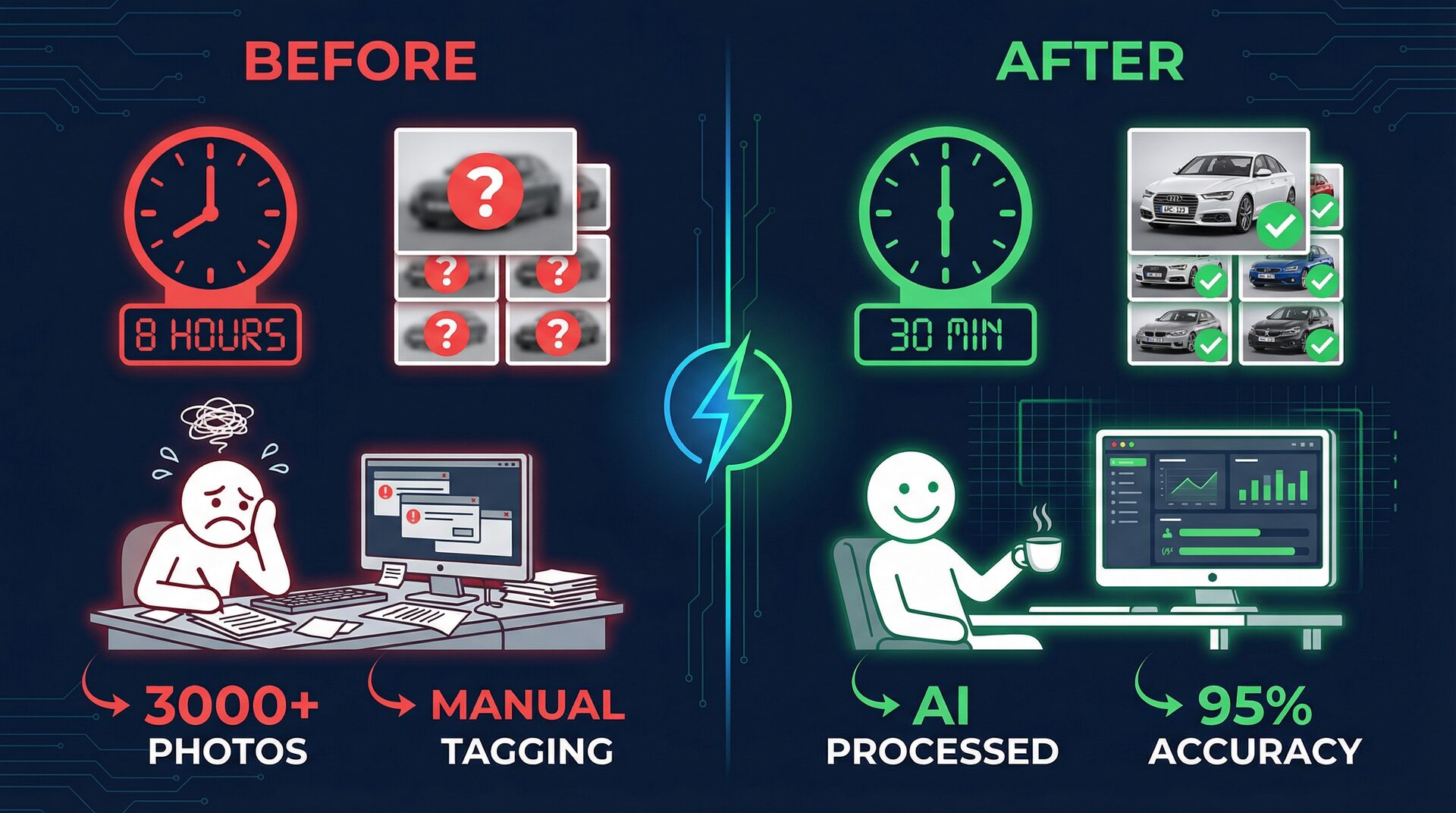
After a GT World Challenge weekend, you have 3,000+ photos spread across practice, qualifying, and race sessions. Each photo needs the correct car number, driver names, team, and category. Manually, this takes 6-8 hours of repetitive work — scrolling, zooming, typing numbers, cross-referencing entry lists.
That's time you could spend editing, delivering to clients, traveling to the next event, or simply recovering before another demanding weekend.
RaceTagger processes your entire batch in 20-30 minutes, achieving 85-95% accuracy on visible race numbers. At the Ferrari Finali Mondiali at Mugello in 2025, photographer Luca achieved 98% detection accuracy on Ferrari Challenge race numbers — completing what would have been a full day of tagging during the lunch break.
How It Works for Pro Motorsport Shooters
1. Import your entry list. Download the official CSV (car number, driver, team, category) from the series website — SRO, FIA, FIM, whatever series you're covering. Load it into RaceTagger.
2. Point at your photo folder. RaceTagger handles NEF, CR2, CR3, ARW, ORF, RW2, RAF, PEF, DNG, JPEG — every major format natively. No conversion to JPEG needed.
3. Let the AI work. Each image is analyzed for race numbers, matched against your participant database, and results appear in real-time on the log visualizer dashboard.
4. Write metadata. Choose EXIF direct (embedded in file) or XMP sidecar (separate .xmp file). Keywords, captions, and structured identifications are written to your files, ready for Lightroom, Capture One, or Bridge.
Handling Motorsport Complexity
Professional motorsport isn't simple — and RaceTagger is built for the complexity:
Multi-class racing: GT3 Pro, Pro-Am, Am with different number ranges? Import your full entry list with class information. RaceTagger uses the participant database to resolve ambiguity — if car #7 exists in both GT3 and GT4, the system uses additional evidence (sponsor text, team name, livery context) to determine the correct match.
Co-driver entries: Import all drivers for each car (driver1, driver2, driver3 columns in your CSV). Photos are tagged with the car number and all associated drivers.
Burst sequences: RaceTagger's temporal clustering automatically propagates identifications across burst frames. If it identifies car #51 in one frame of a 10-frame burst, all adjacent frames shot within milliseconds get the same tag — even if the number isn't visible in those frames.
OCR correction: Common misreads (6↔8, 1↔7, 46↔48) are caught by a confusion matrix built from thousands of real race photos. The system knows which errors are likely and corrects them before writing metadata.
ROI for Professional Motorsport Photographers
Your time has real value. Here's the math:
Without RaceTagger:
- 6-8 hours tagging per event
- 15-20 events per season
- = 90-160 hours per year on tagging
- At €50-100/hour opportunity cost = €4,500-16,000/year in lost time
With RaceTagger:
- ~45 min per event (processing + review)
- 15-20 events per season
- = 12-15 hours per year on tagging
- Token cost: ~€200-300/year for 50,000-75,000 photos
Net savings: 80-145 hours and €4,000-15,000 per season. That's time for 3-5 additional events, faster client delivery, or simply having your weekends back.
Integration with Your Existing Workflow
RaceTagger doesn't replace your editing software — it eliminates the tagging step that happens before editing.
Lightroom Classic users: Process photos in RaceTagger, then import into Lightroom. All keywords are already populated. Filter by driver, search by team, create Smart Collections by category — no manual tagging needed.
Capture One users: Same workflow. RaceTagger writes standard IPTC/EXIF metadata or XMP sidecars that Capture One reads natively.
Photo Mechanic users: Use Photo Mechanic for fast ingestion and initial culling. Then run RaceTagger on your selects for automated tagging before final editing.
Delivery workflows: RaceTagger can organize files by car number into folder structures, making team/agency deliveries straightforward.
What Series Can You Use It For?
RaceTagger works with any racing series where participants have visible numbers:
- Single-seaters: F1, F2, F3, Formula E, IndyCar, F4
- GT/Touring: GTWC, IMSA, Super GT, DTM, BTCC, TCR
- Endurance: WEC, ELMS, Le Mans, Daytona
- Motorcycle: MotoGP, WorldSBK, BSB, national championships
- Rally: WRC, ERC, national rallies (when numbers are visible)
- Other motorsport: Karting, hill climb, drift, drag racing
- Beyond motorsport: Running, cycling, triathlon, cross-country
Each sport category has optimized AI prompts and recognition settings, configurable from the app.
FAQ
Does RaceTagger work with RAW files from my camera?
Yes. RaceTagger supports NEF (Nikon), CR2/CR3 (Canon), ARW (Sony), ORF (Olympus/OM System), RW2 (Panasonic/Lumix), DNG, RAF (Fujifilm), and PEF (Pentax). RAW files are processed natively using embedded previews — no conversion to JPEG needed.
What accuracy should I expect?
85-95% on clearly visible race numbers under normal conditions. Factors that reduce accuracy include extreme motion blur, partial occlusion, unusual angles, rain-covered numbers, and poor lighting. Temporal clustering and OCR correction push effective accuracy higher. The 98% achieved at Mugello 2025 represents excellent conditions (large numbers, good visibility).
Can I use RaceTagger at remote circuits without internet?
AI analysis needs an internet connection; offline, you can still review and export results already analysed on your computer. Set up your entry list and project before traveling, then process photos whenever you have a connection — at the media center, hotel, or after returning home.
How does it handle livery changes between sessions?
RaceTagger identifies cars by race number, not livery. If a car changes livery but keeps the same number, detection is unaffected. If a car changes numbers between sessions (rare), update your CSV before processing that session's photos.
Start with your next event. Download RaceTagger free → — 500 free credits on signup. Load your entry list CSV, process your photos, and see the metadata appear in your editing software.